
SAP TM- Unified Package Building (UPB): Transforming Packaging from Execution to Planning”
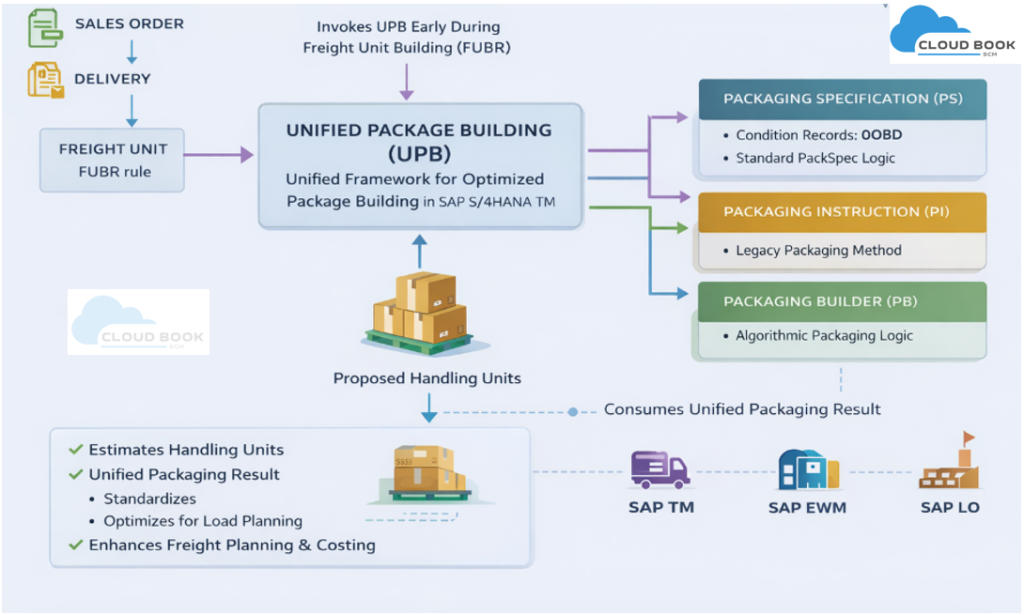
Unified Package Building (UPB) is a framework in SAP S/4HANA that creates optimized packaging structures for logistics processes. It is used across SAP TM, EWM, and Logistics (LO) to standardize and unify previously separate packaging engines.
Unified Package Building (UPB) is a cross-application packaging framework in SAP S/4HANA that:
-
Standardizes packaging logic across TM, EWM, and Logistics (LO)
-
Replaces fragmented packaging engines with a single orchestration layer
-
Enables early, consistent, and optimized package determination
Think of UPB as a wrapper/orchestration layer that can call different packaging engines:
-
Packaging Instructions (PI)
-
Packaging Specifications (PS)
-
Packing Builder (PB)
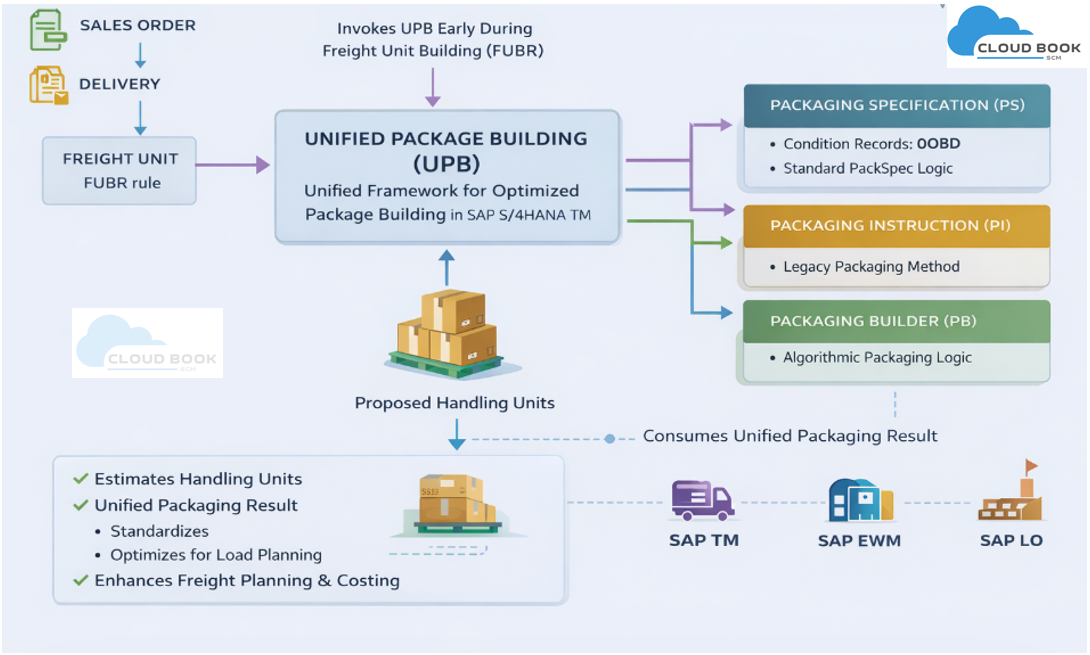
Process Flow in SAP TM (S/4HANA 2023)
Here’s how UPB fits into the TM process:
1. Sales Order / Delivery Creation
-
Logistics document is created (SD → TM integration)
2. Freight Unit Building (FUBR Execution)
-
Freight Unit is created based on Freight Unit Building Rule (FUBR)
-
UPB can be triggered here (early stage)
3. UPB Invocation
-
System calls UPB during FU creation
-
UPB determines packaging structure
4. Packaging Engine Execution (PS / PI / PB)
- Based on configuration, UPB calls:
- Packaging Specification (PS) logic
- Condition technique (e.g., OBD condition type) determines applicable pack spec
5. Handling Unit Proposal
- System generates:
- Number of HUs
- Packaging hierarchy
- Dimensions/weights
6. Freight Planning
- Accurate packaging improves:
- Load planning
- Capacity optimization
- Costing
Business scenario
Requirement is to send the estimated information of Handling unit for a delivery when it is created. To meet the above requirements, below are the configuration settings which are needed.
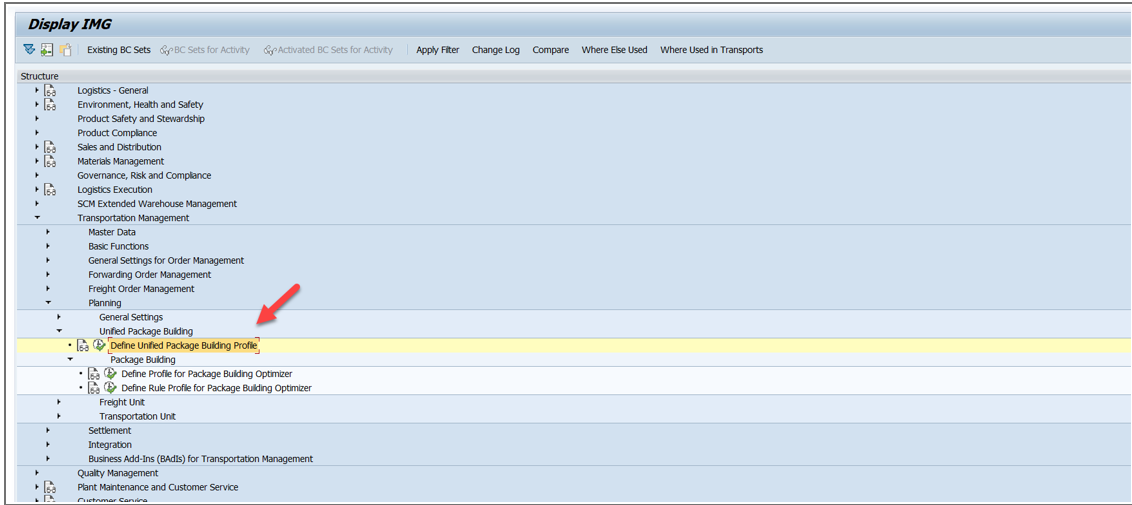
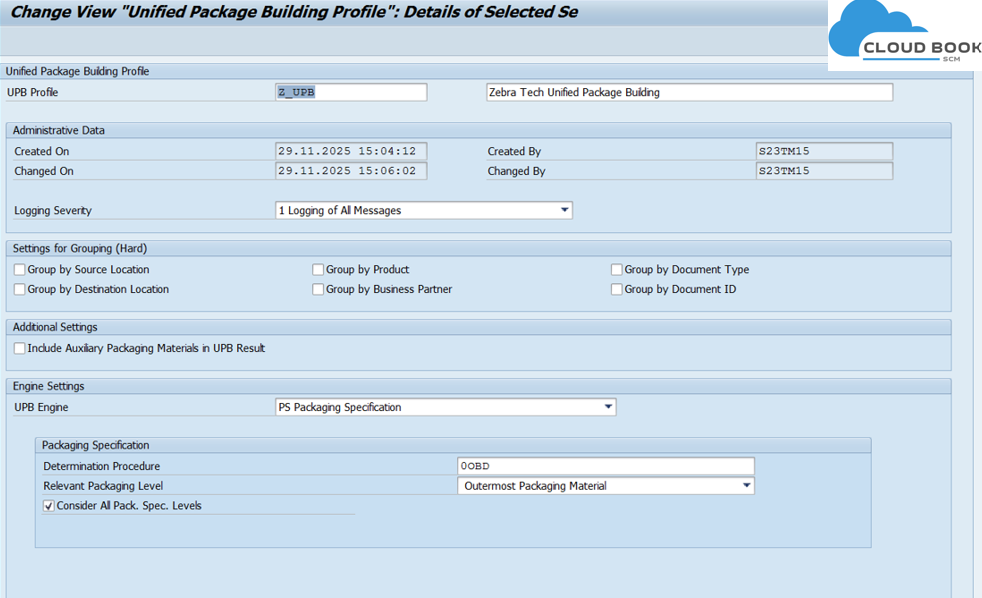
You can trigger package formation early, directly when freight units are created. Settings are controlled via the Freight Unit Building Rule (FUBR). See below config.
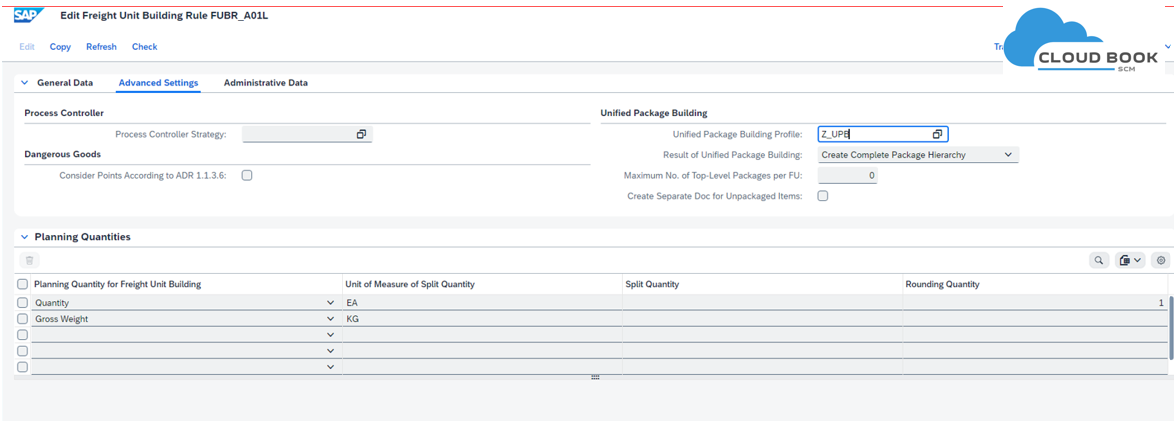
Packaging Specifications (PS) are one of the three supported engines inside the Unified Package Building framework. UPB acts as a layer that can consume different packing engines (PI, PS, and PB) to produce a unified packaging result.
UPB acts as a wrapper that can call different engines. When you configure UPB to use a Packaging Specification engine:
- UPB receives product/item data.
- It invokes PS logic to determine how the product must be packed.
In this pack spec, we can see that condition records are maintained using OBD condition type.
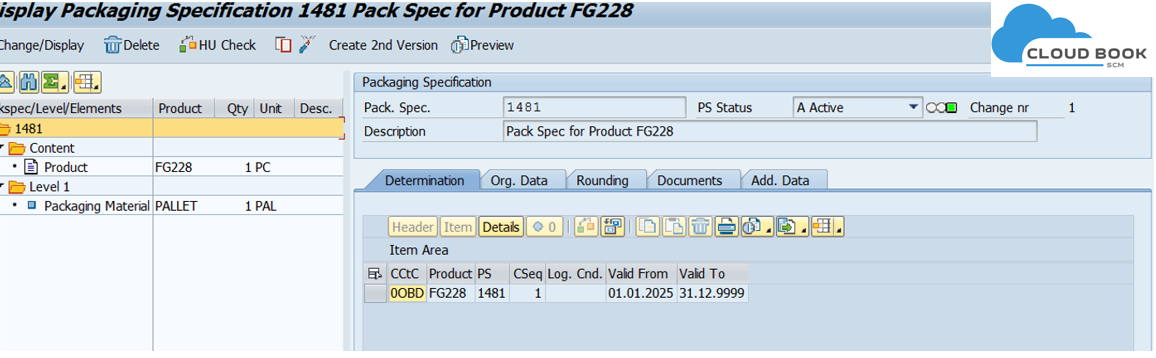
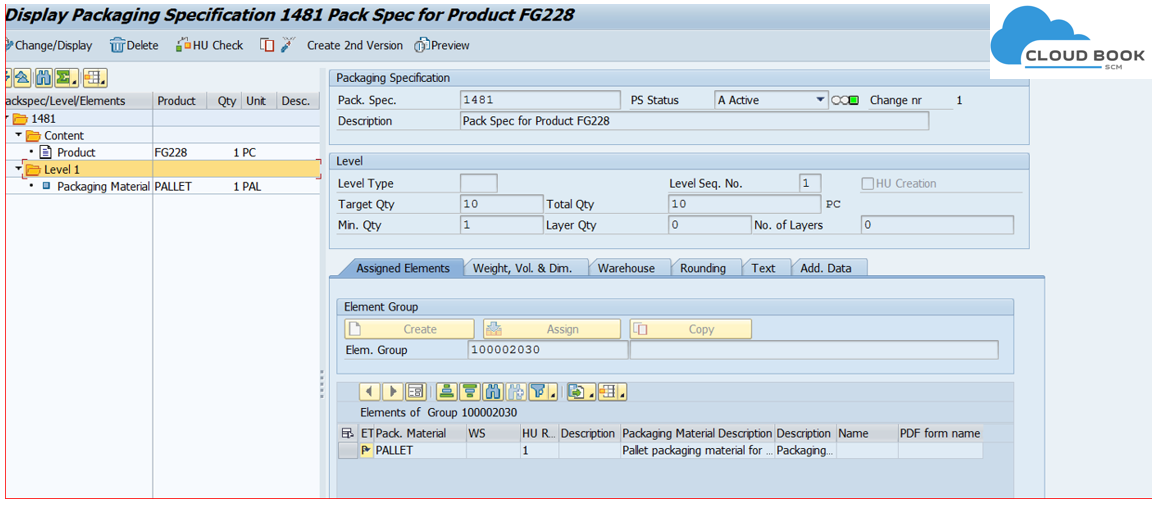
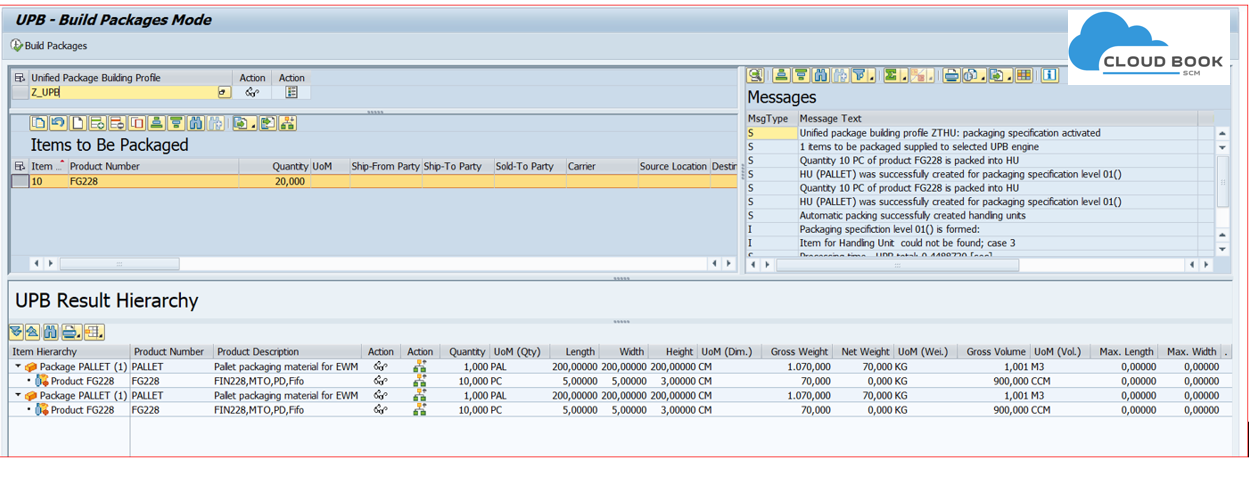
After the pack spec is created and UPB set up is done, a simulation transaction /SCMB/TEST_UPB can be executed to test if the setup is running fine.
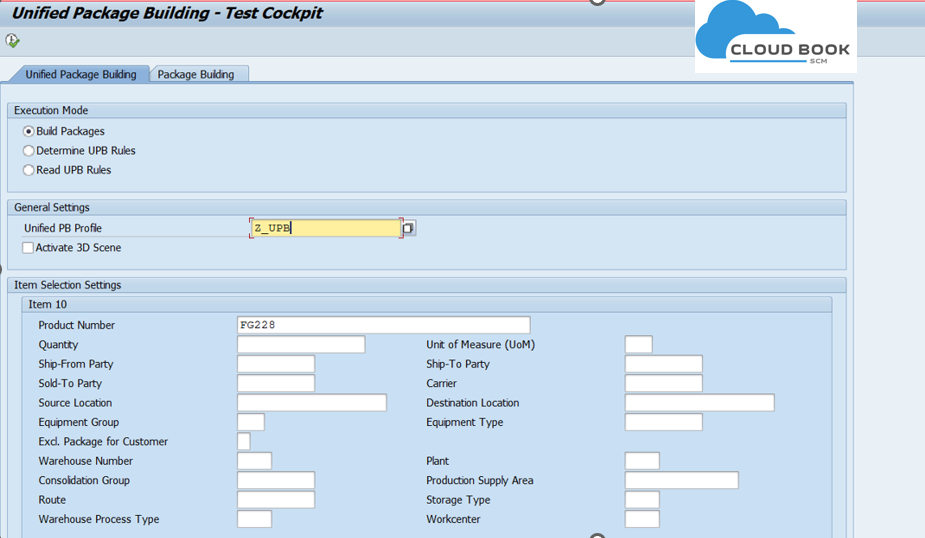
In this execution, it is evident that the system builds packages based on the configured packaging specification. Given the quantity of 20, the pack spec results in the creation of two packages.
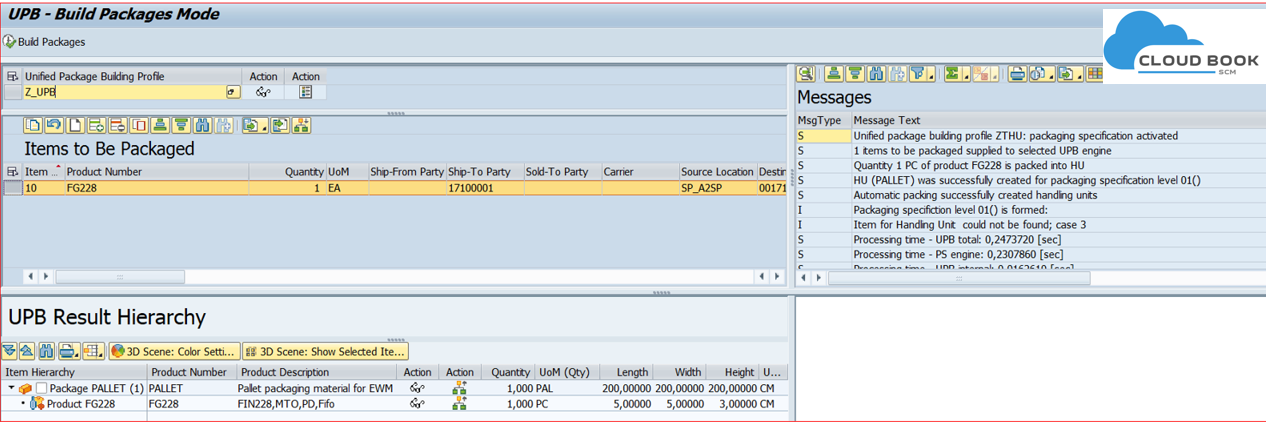
Simulation can also be done using the business document like FU.
| Aspect | UPB | Packaging Instruction (PI) |
|---|---|---|
| Nature | Framework / Orchestration Layer | Standalone packaging logic |
| Flexibility | High (supports multiple engines) | Limited |
| Integration | TM + EWM + LO | Mostly LE/WM |
| Trigger Point | Early (FU creation via FUBR) | Usually later |
| Engine Support | PI, PS, PB | Only PI |
| Condition Technique | Advanced (via PackSpec) | Basic |
| Future Relevance | Strategic (SAP recommended) | Legacy approach |
Want to Master SAP TM with Real-Time Scenarios?
- Learn SAP Transportation Management (SAP TM) from industry experts with hands-on system training, real project scenarios, and advanced configuration techniques.
- Start your journey to becoming an SAP TM expert today.
- For Course content and Free demo Wats App: https://wa.me/9764427626 |
 SCM-CLOUDBOOK
 - Call /Ping at :91-9289246569, 91-9764427626 (to check the other details and offer)
Subscribe for EWM and TM related Update and blog contents:
