
Real-Time Configuration Scenario: SAP TM Freight Order Creation Flow
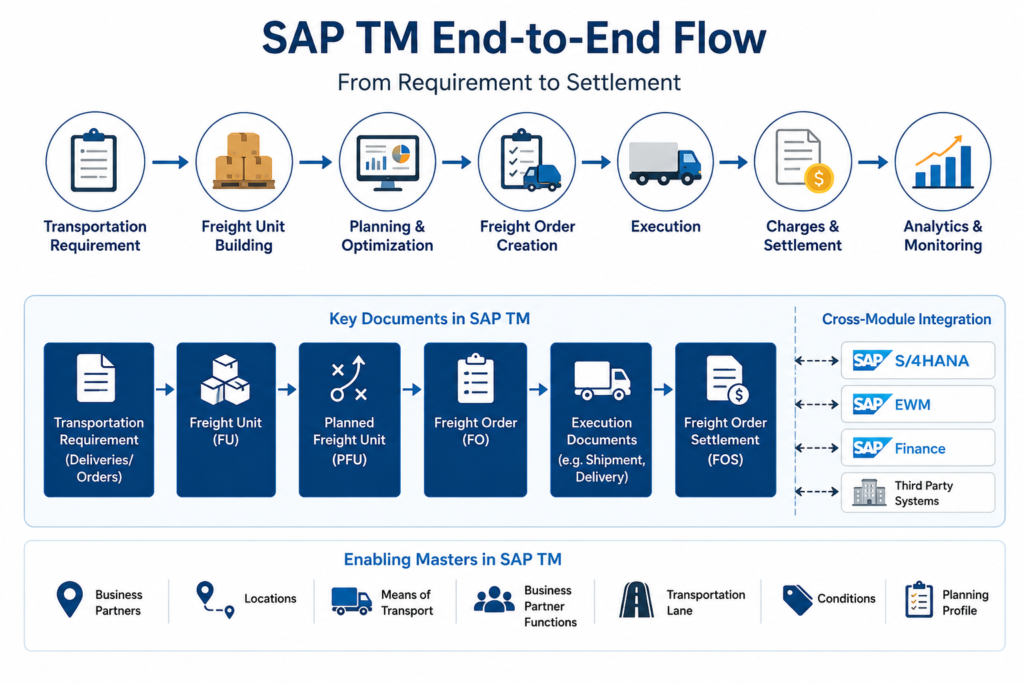
SAP TM Freight Order Creation Flow – Real-Time Configuration Scenario
In SAP Transportation Management, Freight Order creation is one of the most important steps in the transportation execution process. A Freight Order represents the actual transportation plan that is executed by a carrier, vehicle, or logistics service provider.
For SAP TM consultants, understanding how Freight Orders are created is not only important for configuration, but also for resolving real project issues during testing, integration, and production support.
Business Scenario
A company receives a sales order or stock transfer requirement. Based on delivery or transportation demand, SAP TM creates a Freight Unit. This Freight Unit is then planned and converted into a Freight Order for execution.
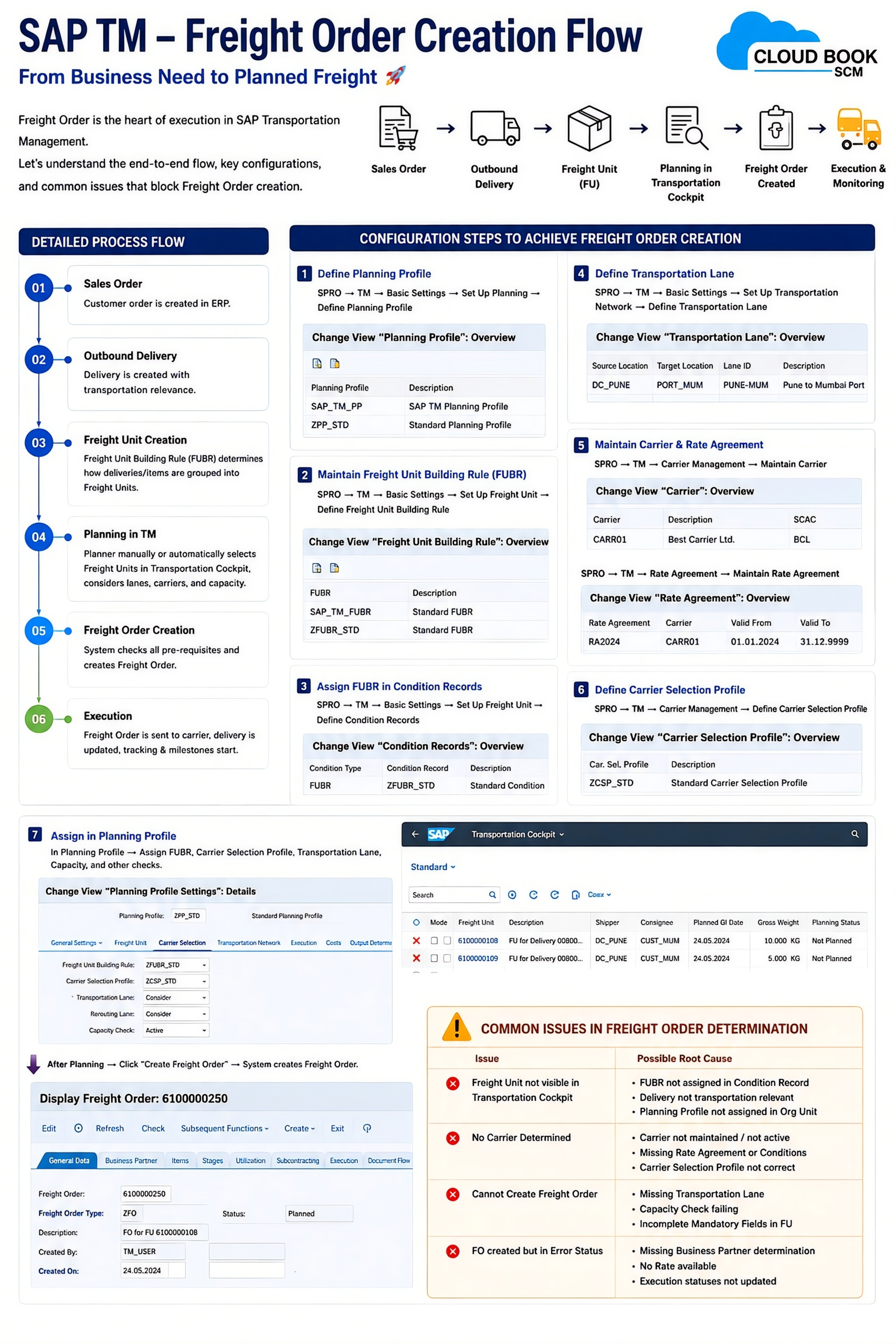
Freight Order Creation Flow
Sales Order / Delivery
↓
Transportation Requirement
↓
Freight Unit Building
↓
Planning Profile Determination
↓
Transportation Lane / Carrier / Means of Transport Check
↓
Freight Order Creation
↓
Carrier Assignment
↓
Execution, Charges, and Settlement
Key Configuration Areas
To achieve Freight Order creation in SAP TM, consultants should mainly check:
- Freight Unit Building Rule
- Defines how transportation demand is converted into Freight Units.
- Incorrect FUBR setup may stop Freight Unit creation.
- Transportation Lane
- Maintains source, destination, carrier, and mode of transport.
- Missing lanes often cause planning failures.
- Planning Profile
- Controls how Freight Units are selected and planned.
- Wrong profile assignment may prevent Freight Order creation.
- Freight Order Type
- Defines document behavior, number range, execution settings, and integration relevance.
- Carrier and Means of Transport
- Required for proper planning and execution.
- Missing carrier assignment can block Freight Order completion.
- Condition / Strategy Settings
- Used for document type determination, planning relevance, and charge calculation.
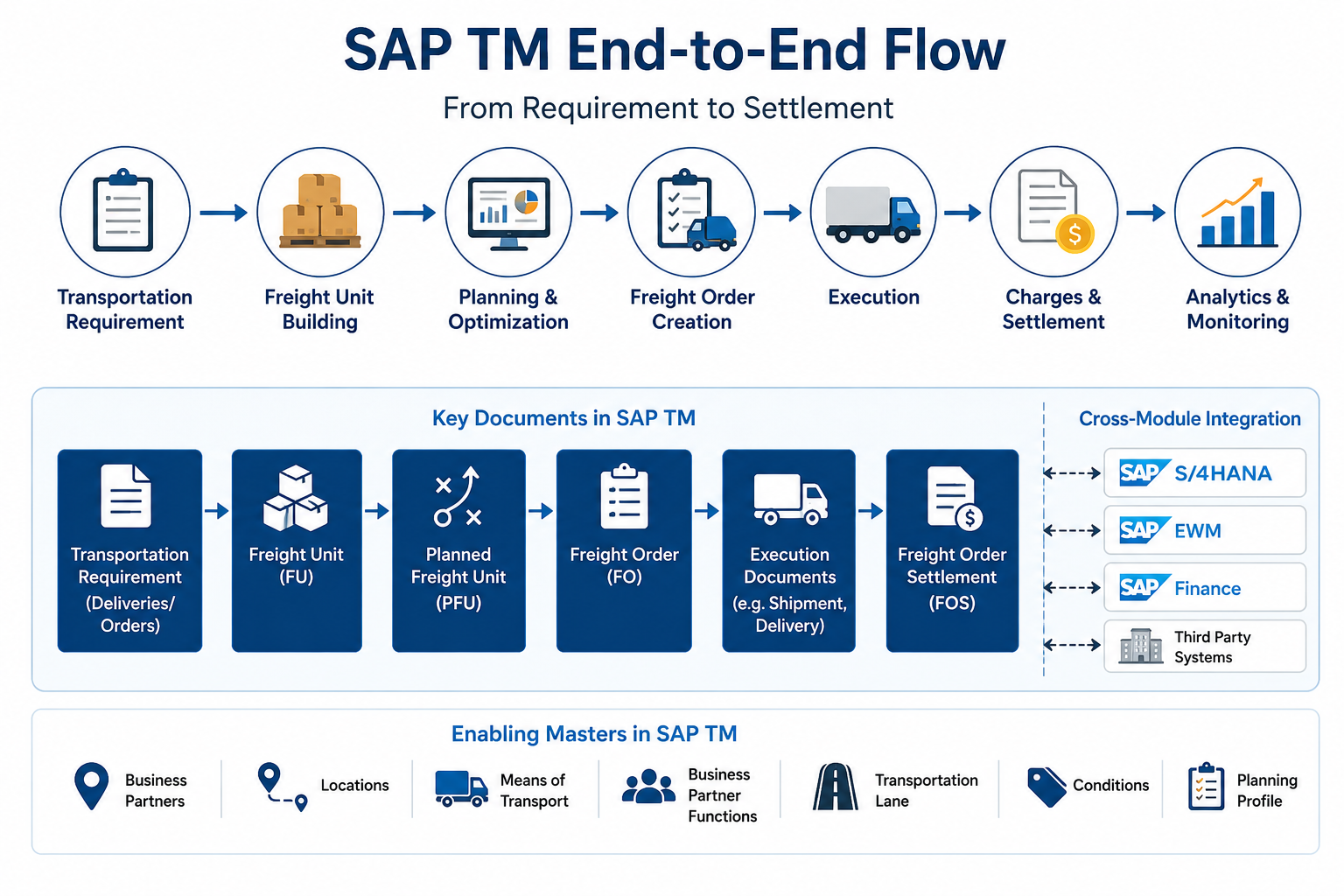
Common Issues Consultants Face
1. Freight Unit Not Created
Usually caused by incorrect Freight Unit Building Rule, missing logistics integration, or document not relevant for transportation.
2. Freight Order Not Created from Freight Unit
This may happen due to missing planning profile, invalid transportation lane, incompatible vehicle resource, or wrong document type determination.
3. Carrier Not Determined
Common reasons include missing carrier assignment, invalid transportation lane, or incorrect selection profile.
4. Freight Order Created with Wrong Type
This is usually linked to incorrect Freight Order type determination or condition records.
5. Planning Fails During Optimizer or Manual Planning
Reasons may include missing location master data, transportation zone issue, lane issue, resource issue, or incompatible capacity settings.
Consultant Checklist
Before debugging, always verify:
- Is Freight Unit created successfully?
- Is source and destination location correct?
- Is transportation lane maintained?
- Is Freight Order type determined correctly?
- Is planning profile assigned?
- Is carrier or resource available?
- Are integration queues clear?
- Is the document transportation relevant?
Real-Time Learning Point
In real projects, Freight Order creation issues are rarely caused by one configuration step only. Most issues happen due to a combination of master data, planning profile, transportation lane, document type determination, and integration settings.
A strong SAP TM consultant should not only know the configuration path, but also understand the complete business flow from demand creation to Freight Order execution.
chat: +91-9764427626
